


Hello fellow!
Welcome to the Challenge Month of the Merage Fellowship.
Choose any social platform of choice, and dedicate the next month in creating content that is positive in nature.
What does that mean? Anything that focuses on cohesion, positivity, community, conversation starters! Similar to what Nas Daily and Builders of the Middles East does, but you don't have to copy their style or storytelling format, just the positivity.
What do you need to submit?
In this Challenge Month, you will need to create 4 VIDEOS IN TOTAL.
Submission of 1 video per week that has the best statistics in the form of VER.
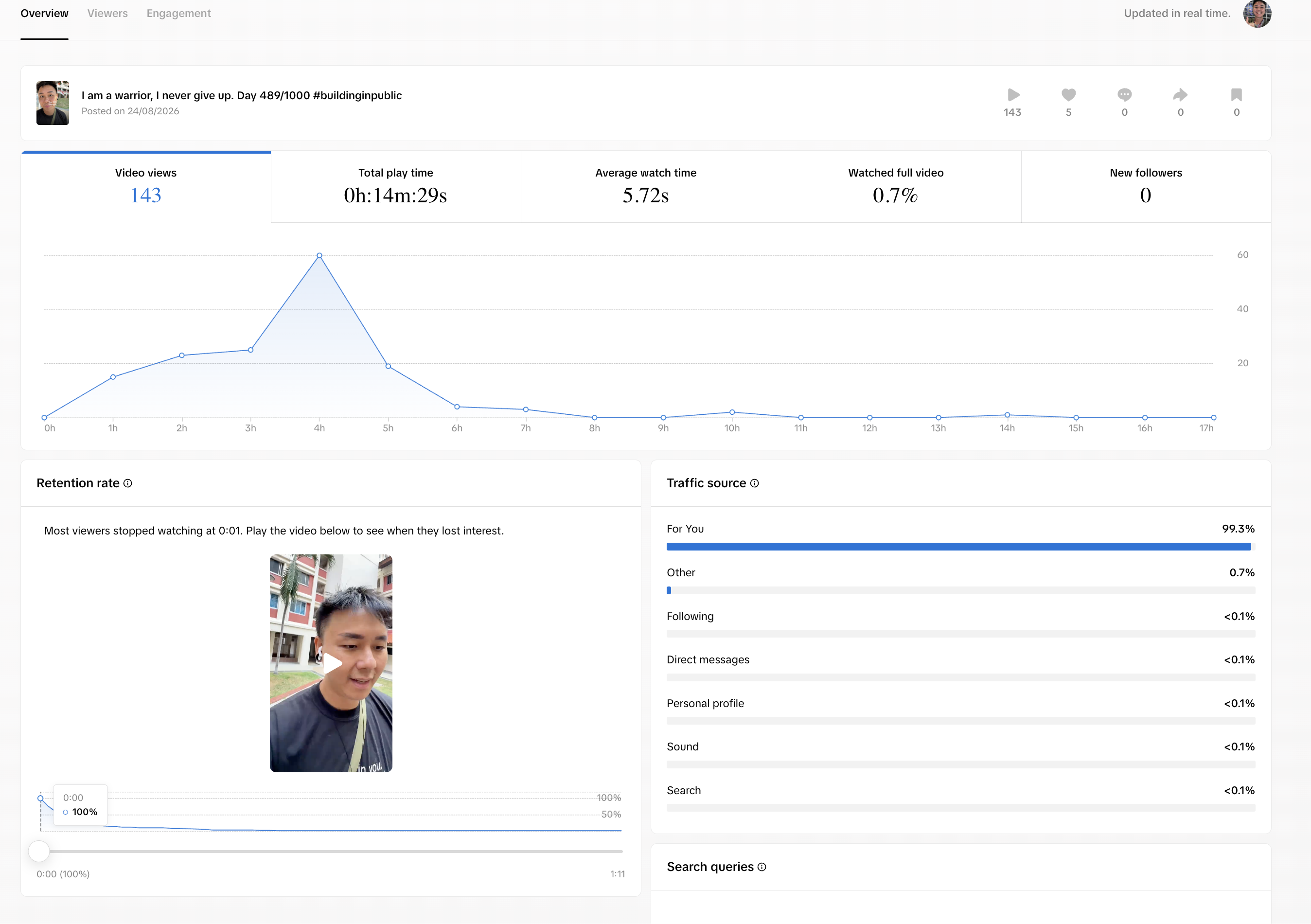
1. Viewership
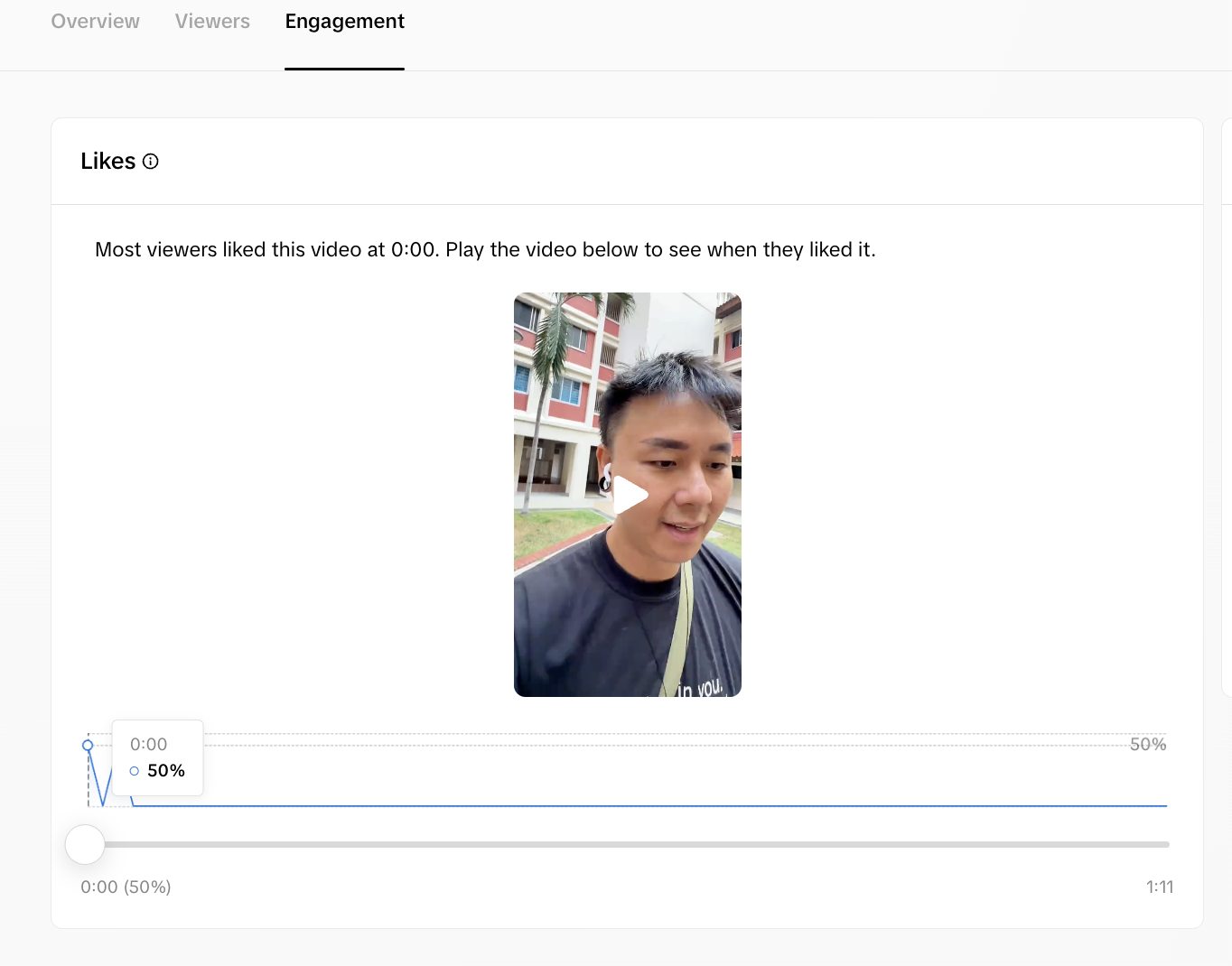
2. Engagement
3. Retention rate
Each checkpoint will open at the start of the week, and you will need to submit your BEST performing video by the end of the week.
You can create as many videos as you want every week, but only submit your best performing video per week, so that you submit a total of 4 videos.
At the end of each week, you will submit
1. A link to your best performing video of the week
2. A google link with screenshots of your VER analytics compiled
Submission durations as below...
VIDEO 1: 1st September 9am to 8th September 8:59am
VIDEO 2: 8th September 9am to 15th September 8:59am
VIDEO 3: 15th September 9am to 22nd September 8:59am
VIDEO 4: 22nd September 9am to 29 September 11:59pm
What will the winners get?
There will be a total of 3 winners who can walk away with this prize...
1. Tickets to attend the National Congress to Address Antisemitism on 19-20 October in Denver, US
2. Participate on stage with other delegates
3. Flights paid for to travel to the Congress
4. Hotel and accommodation
5. Dinner with Nuseir Yassin, founder of Nas Daily
6. A chance to be interviewed and get more awareness and visibility
Total value: PRICELESS
How to get analytics?
Instagram
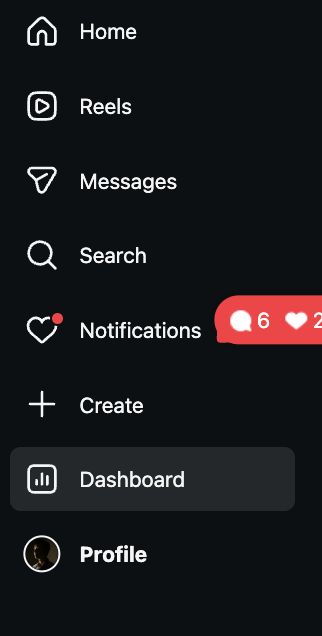
1. On Instagram desktop, click on DASHBOARD
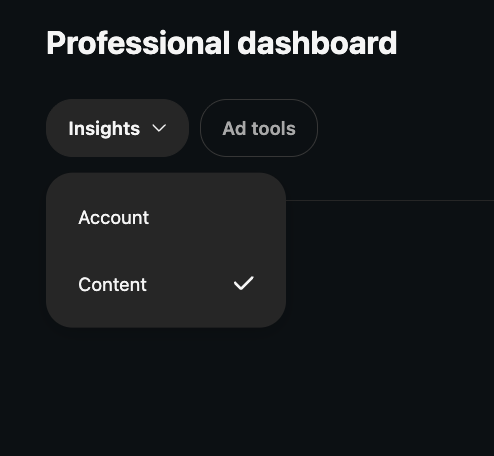
2. Click on Insights and select CONTENT
3. Select REELS
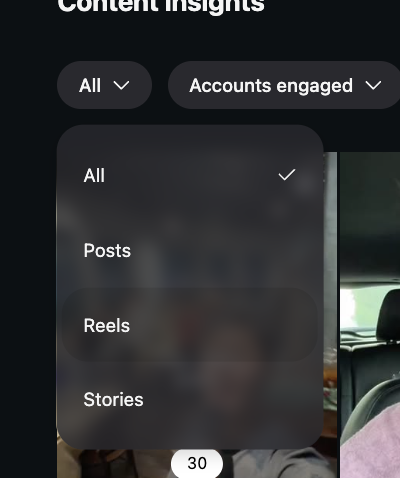
4. Find your best performing video in that week, and take a screenshot of your VIDEO STATS
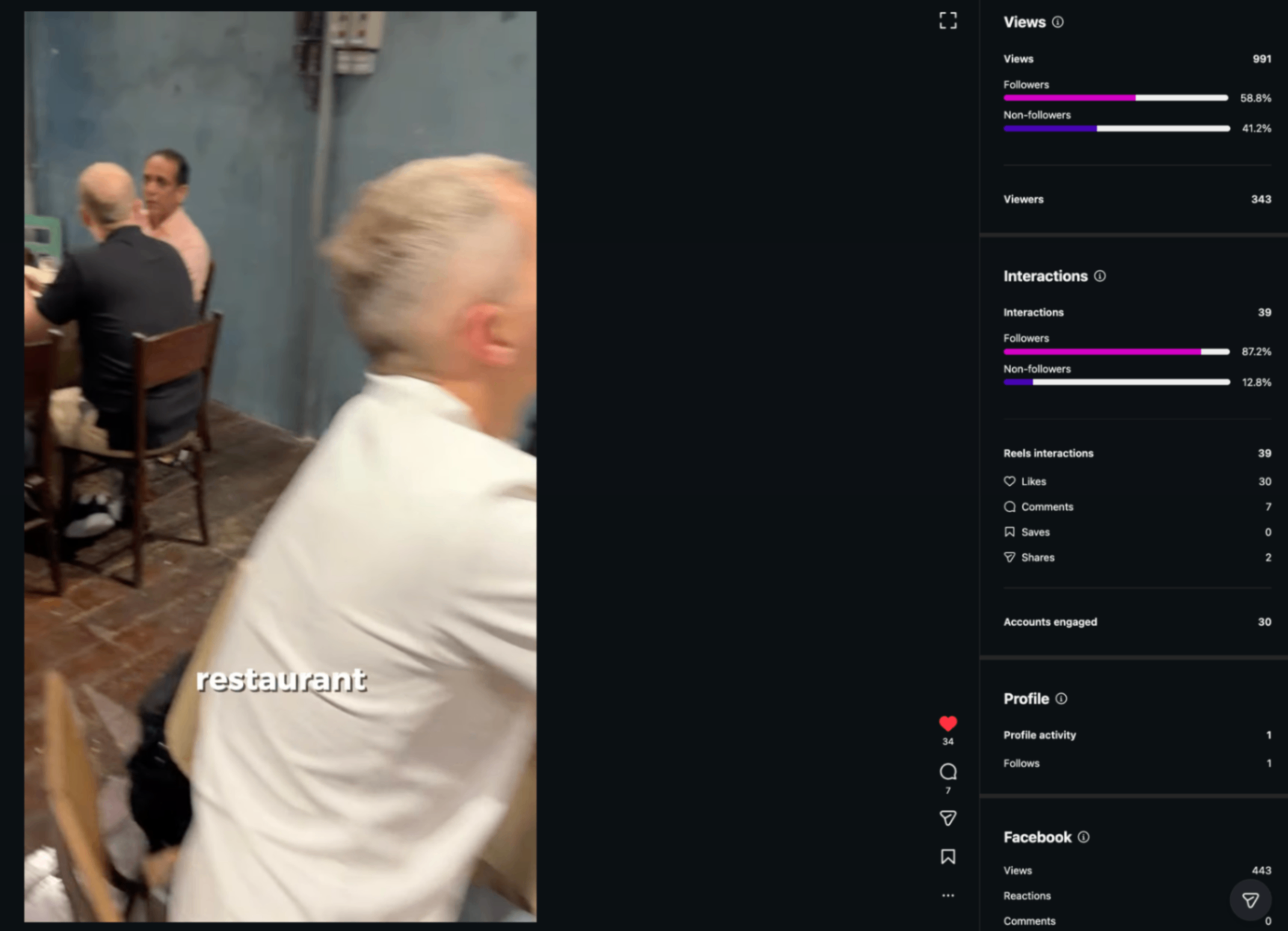
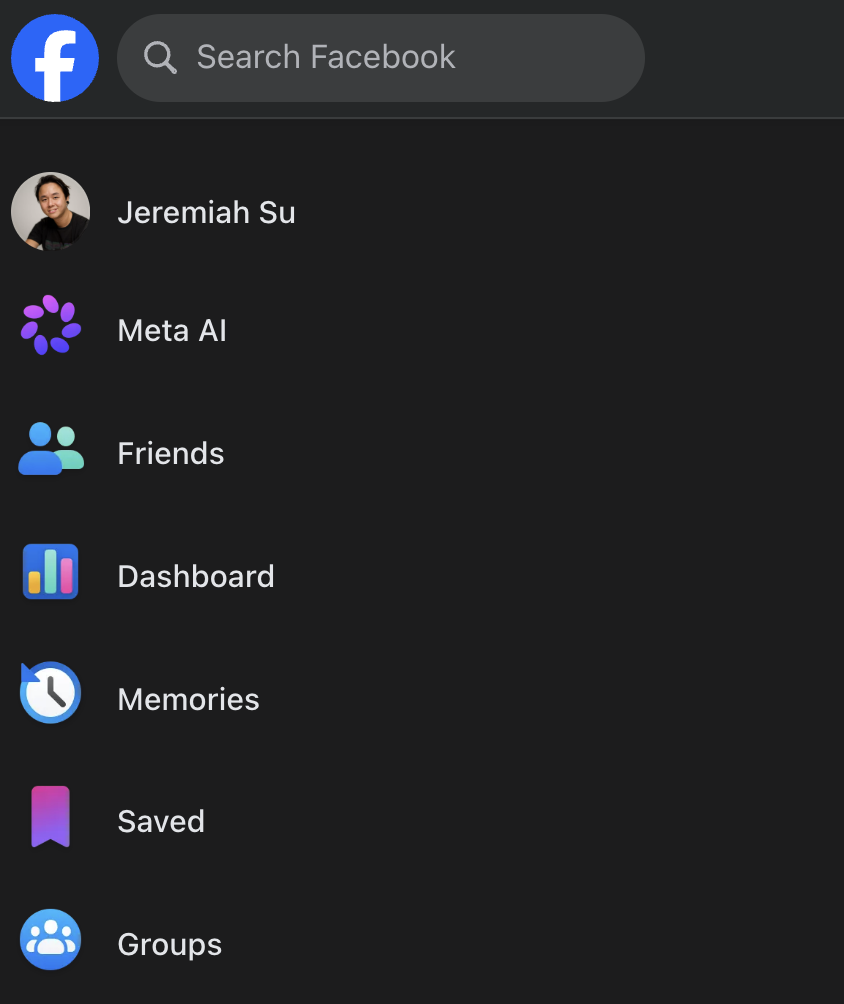
1. on Facebook desktop, click on DASHBOARDS
2. Click on INSIGHTS
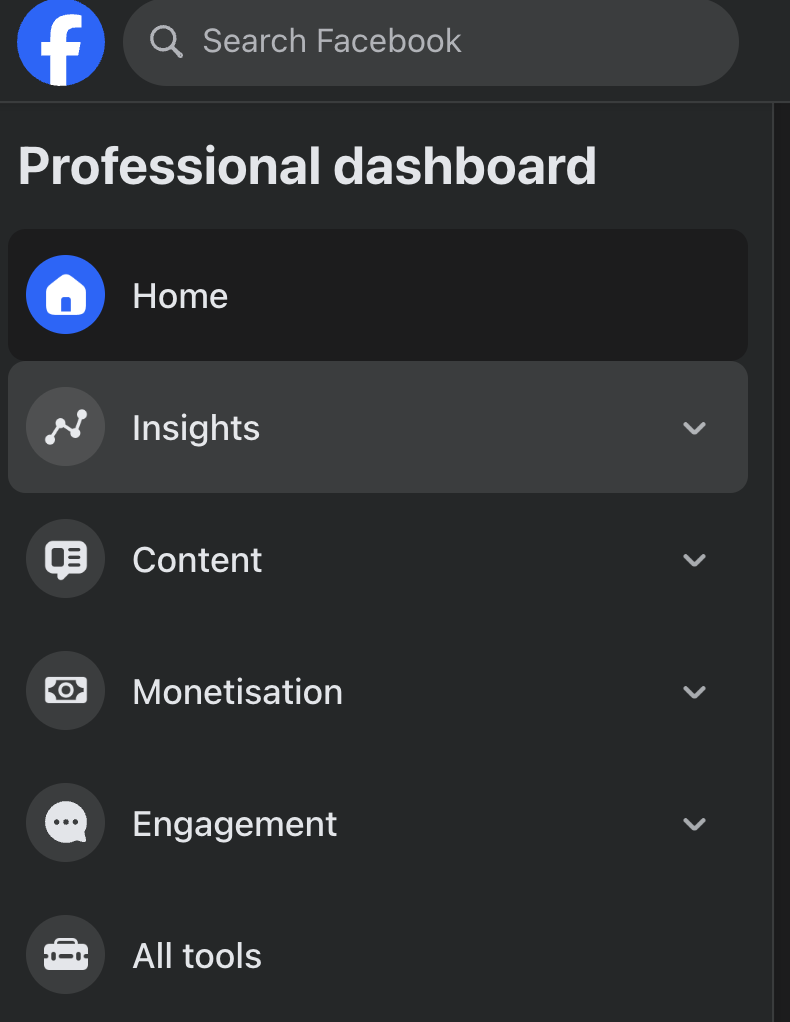
3. Click on REELS
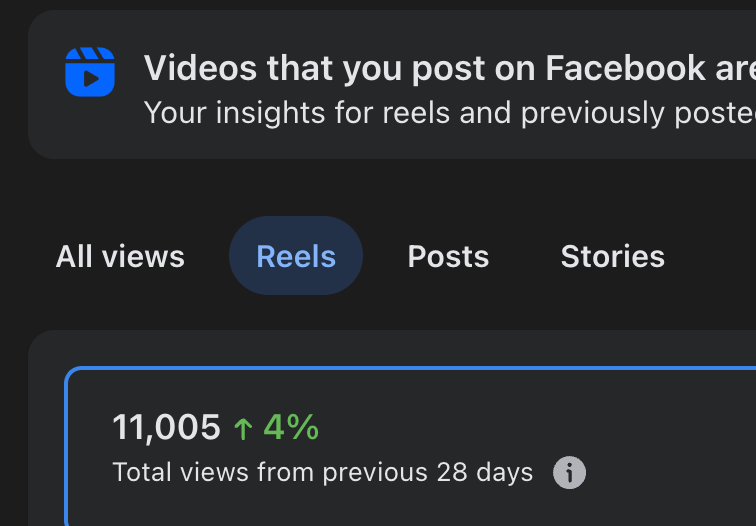
4. Take a screenshot of your best performing video for that week
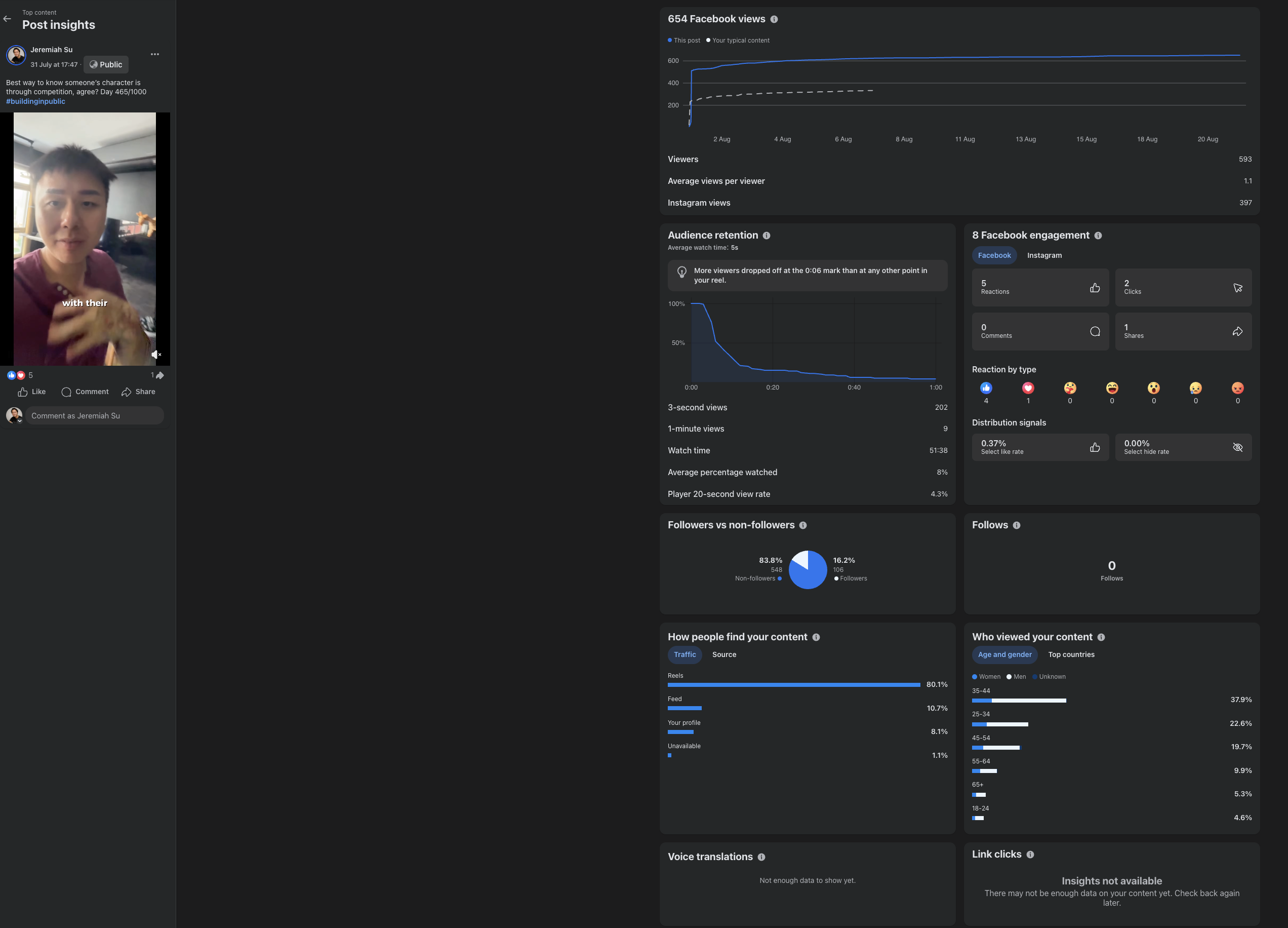
TikTok
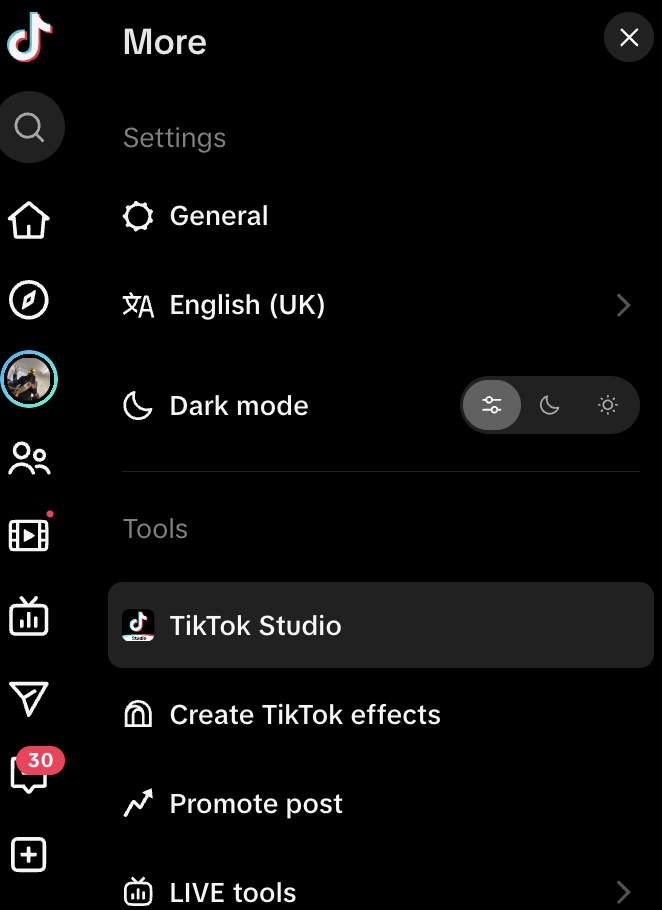
1. Go to TikTok desktop and click on MORE
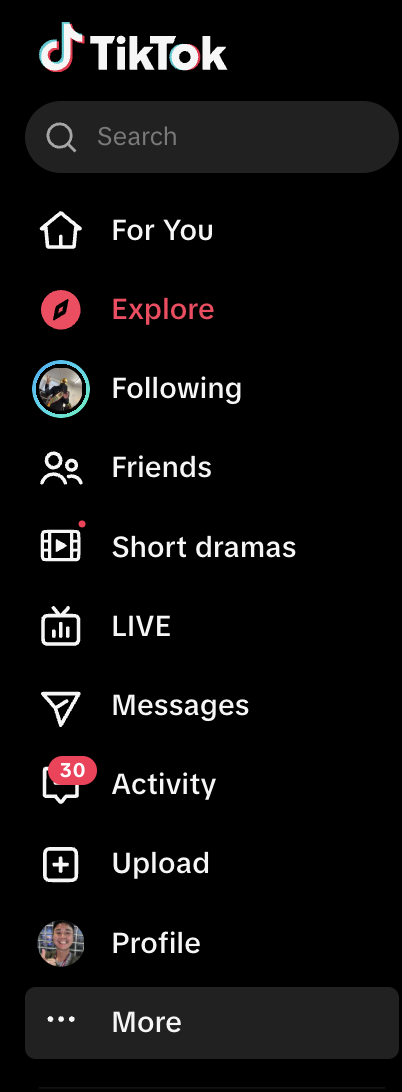
2. Click on TIKTOK STUDIO
3. Select your best performing video
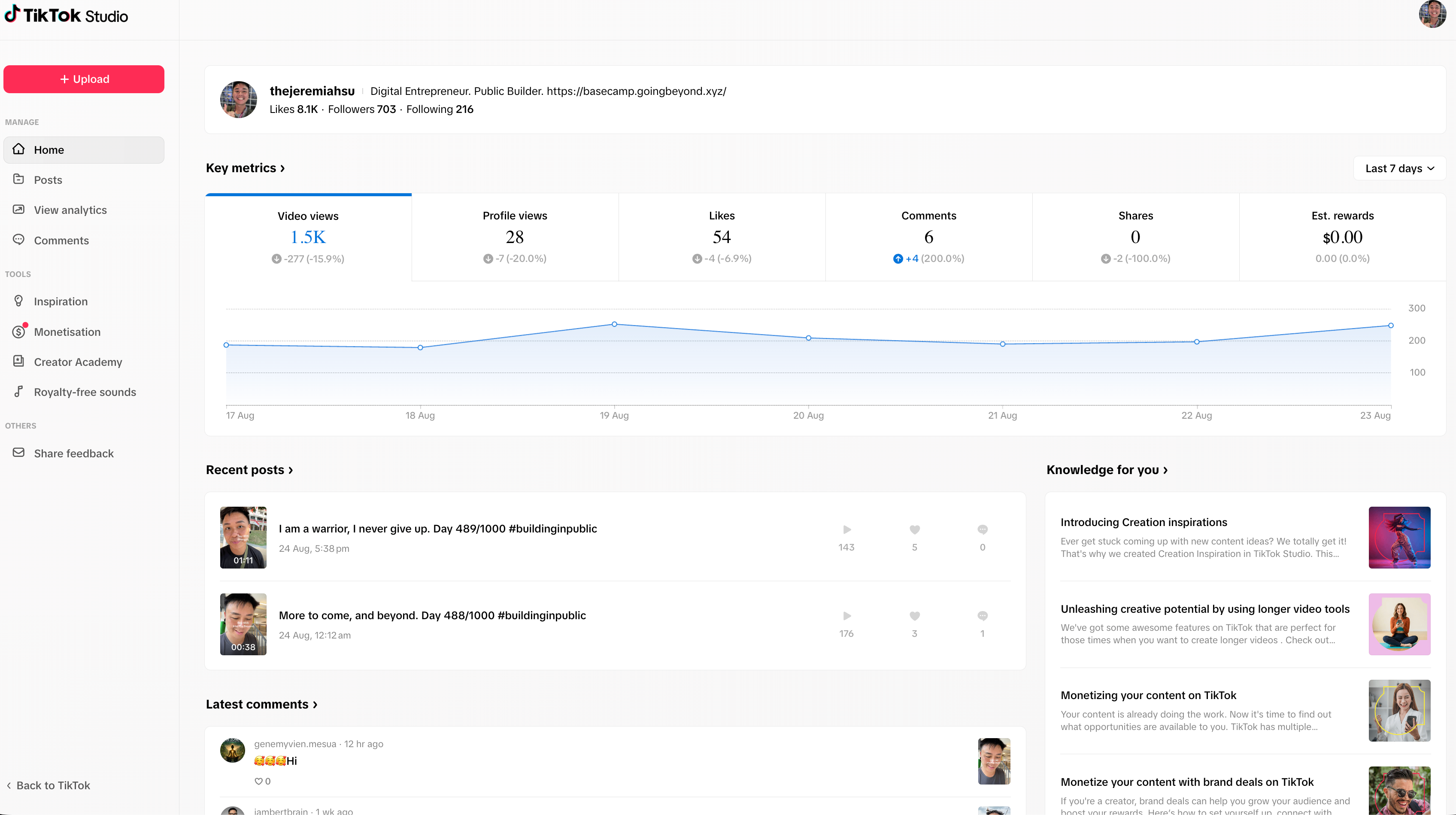
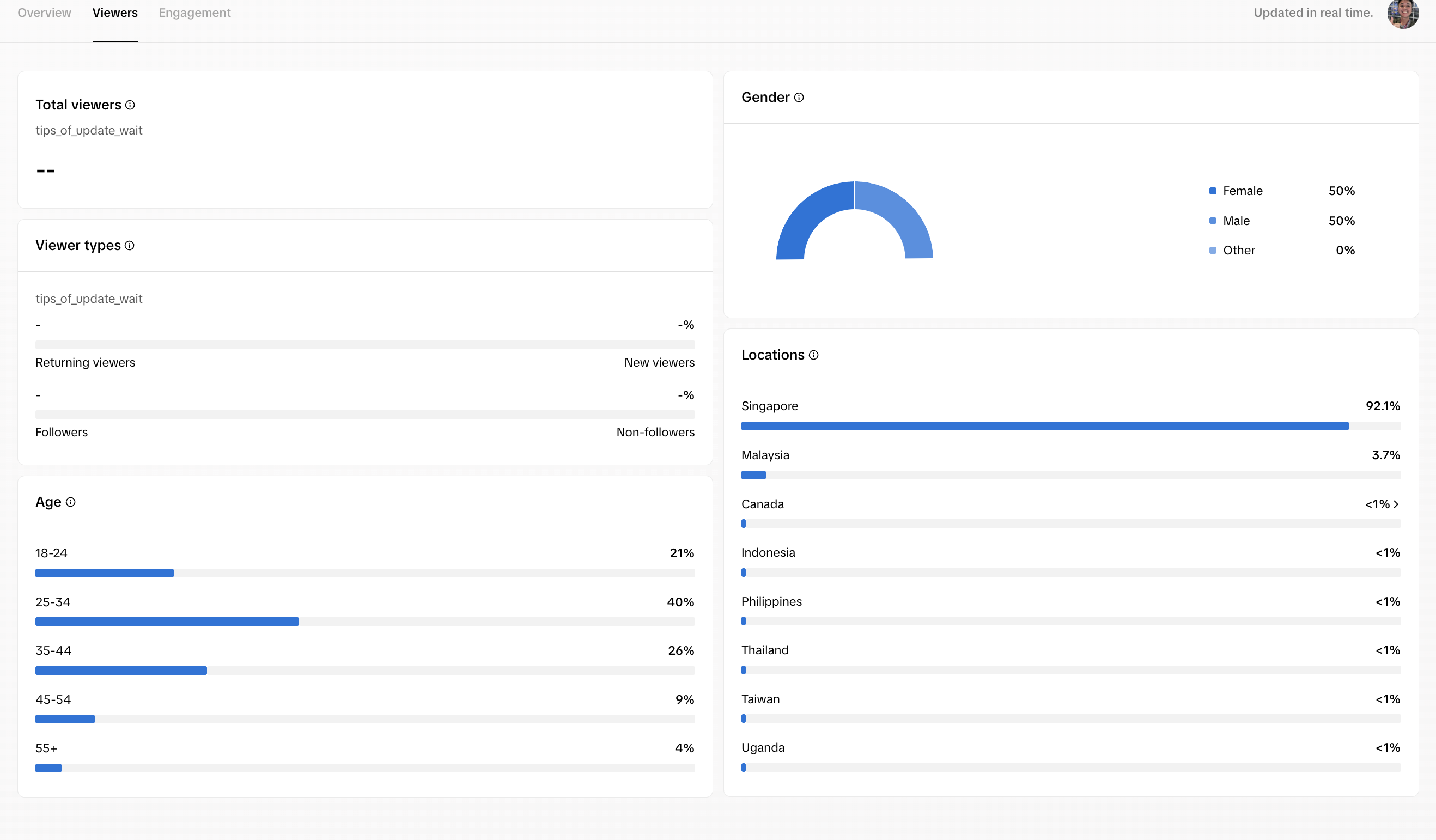
4. Take a screenshot of the STATS for Overview, Viewers, Engagement
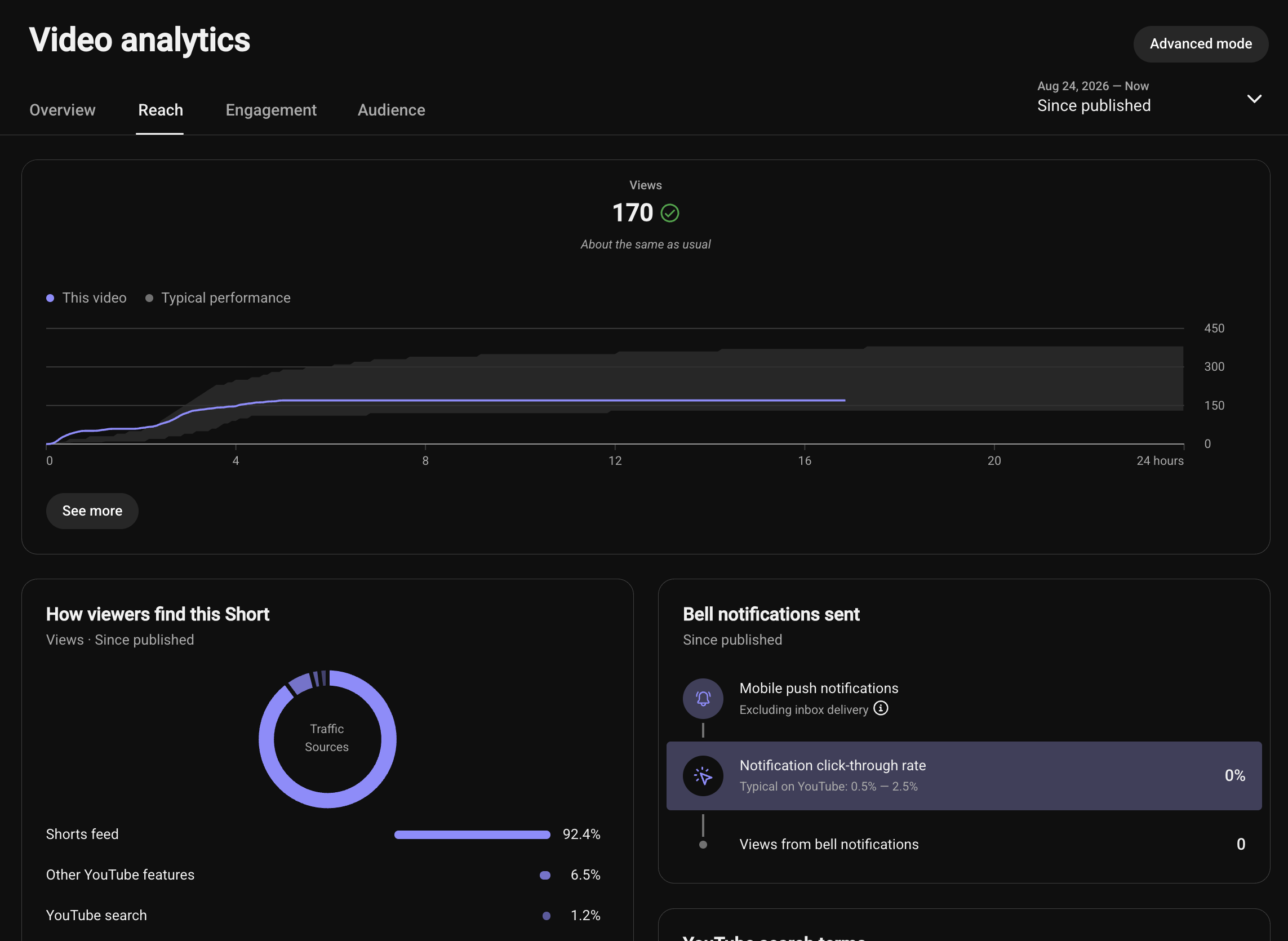
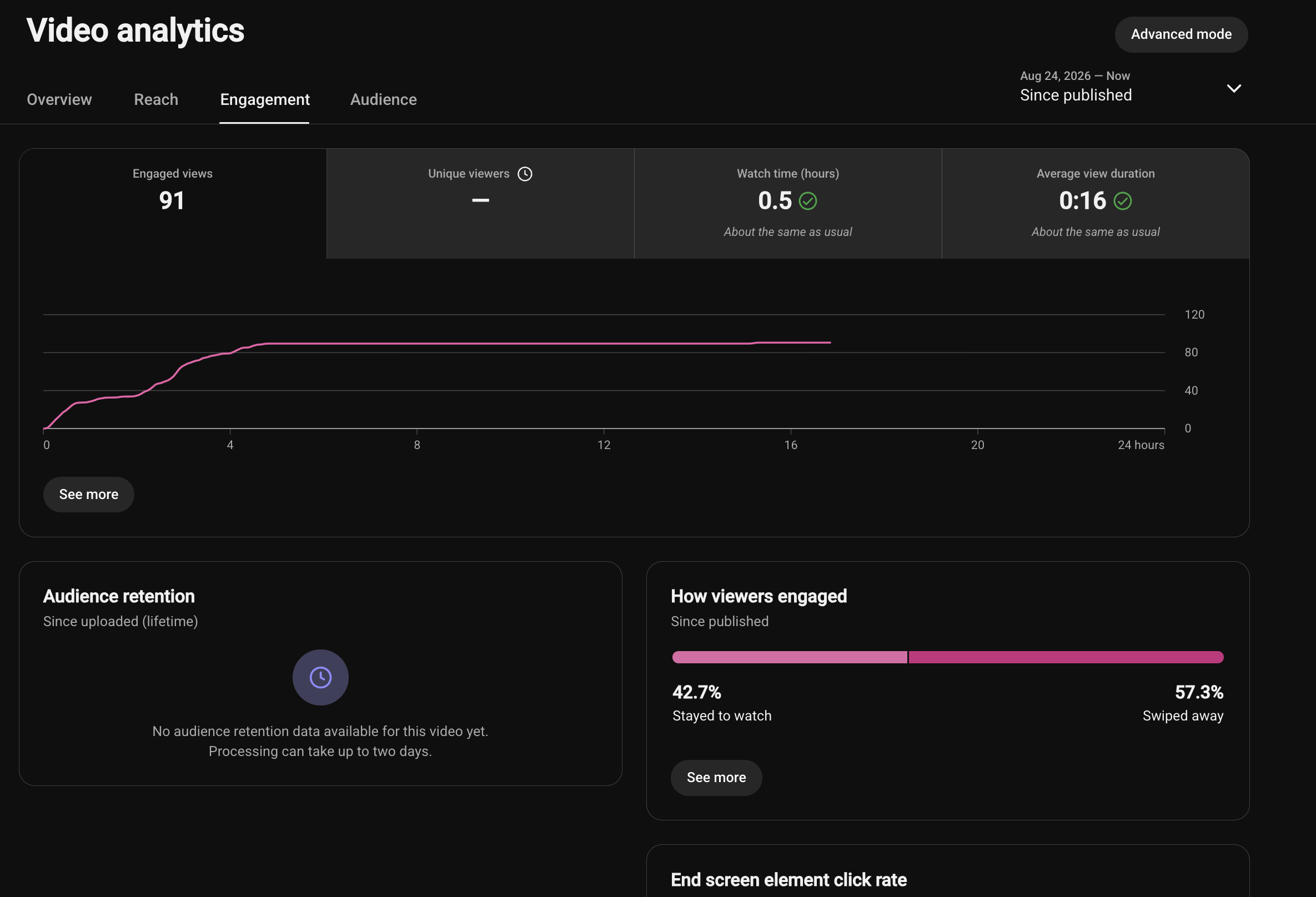
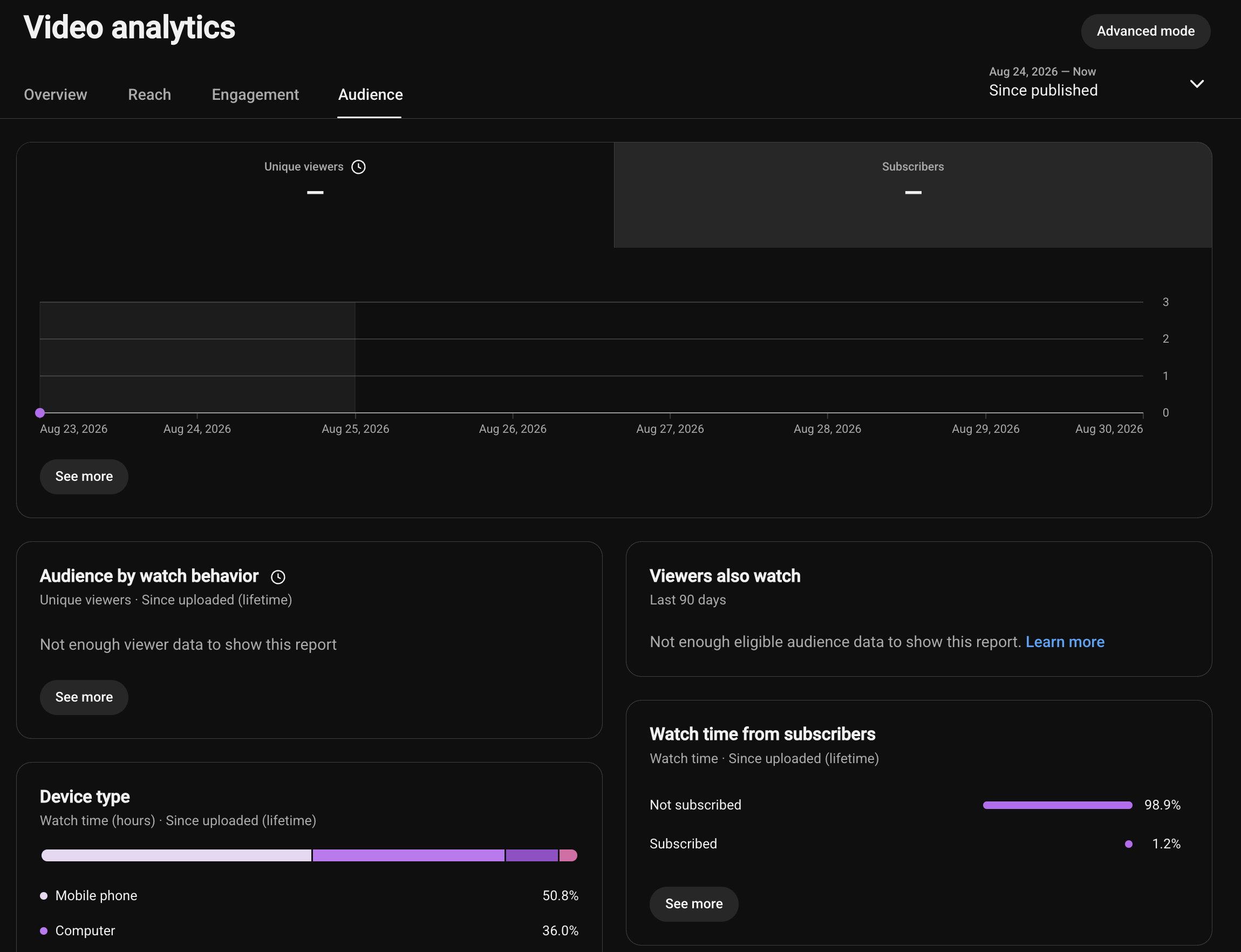
YouTube
1. Go to YouTube desktop and click on YouTube Studio
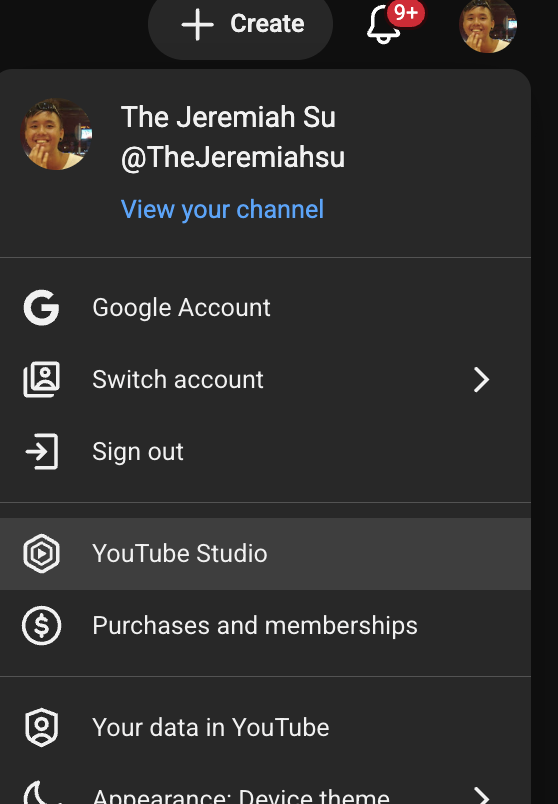
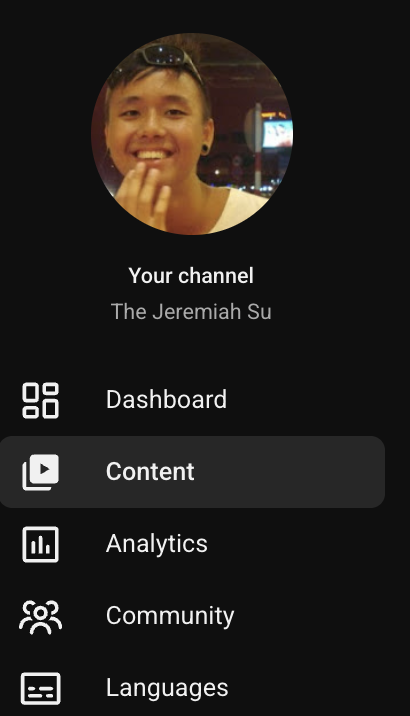
2. Click on CONTENT
3. Click on the ANALYTICS of your top performing video
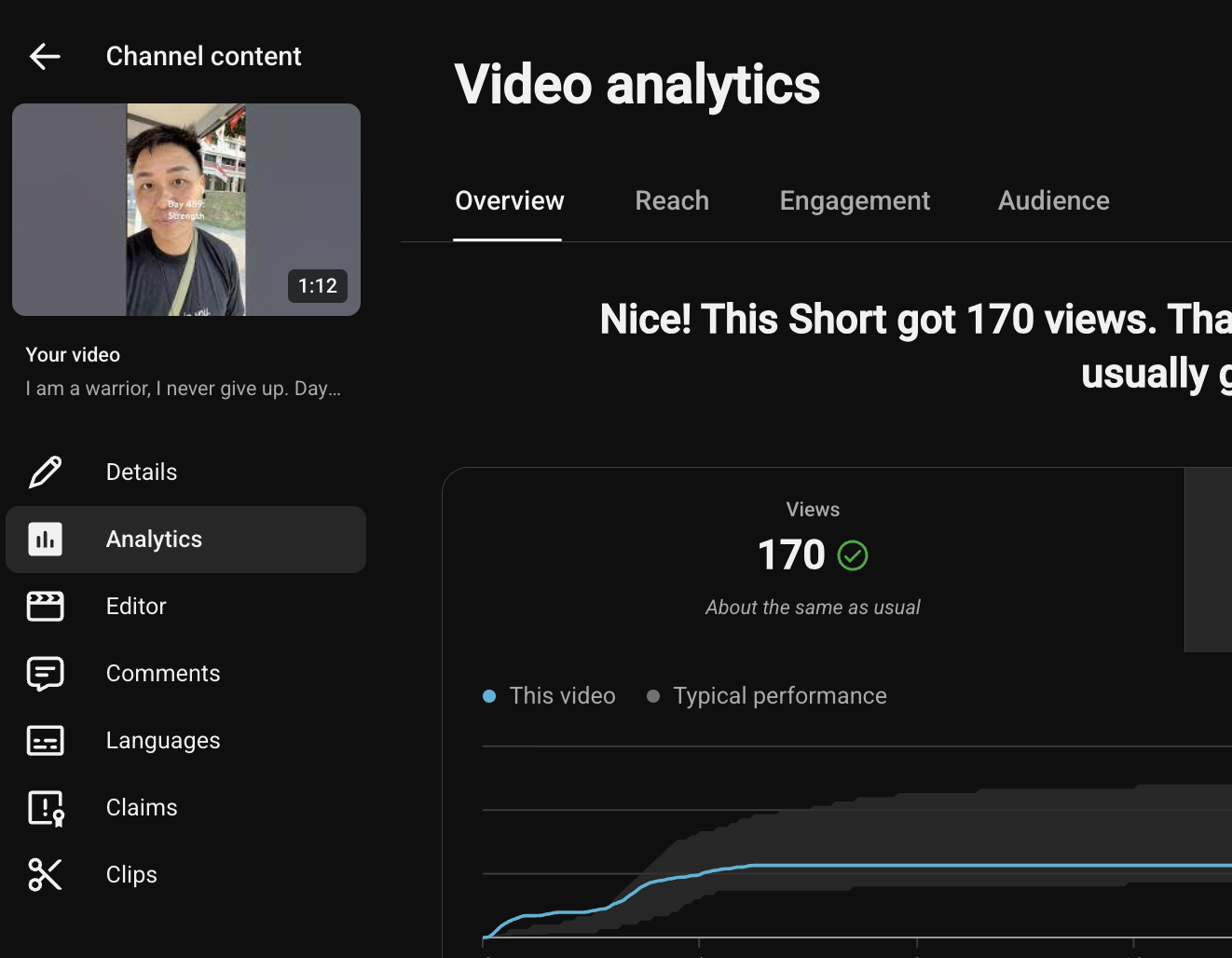
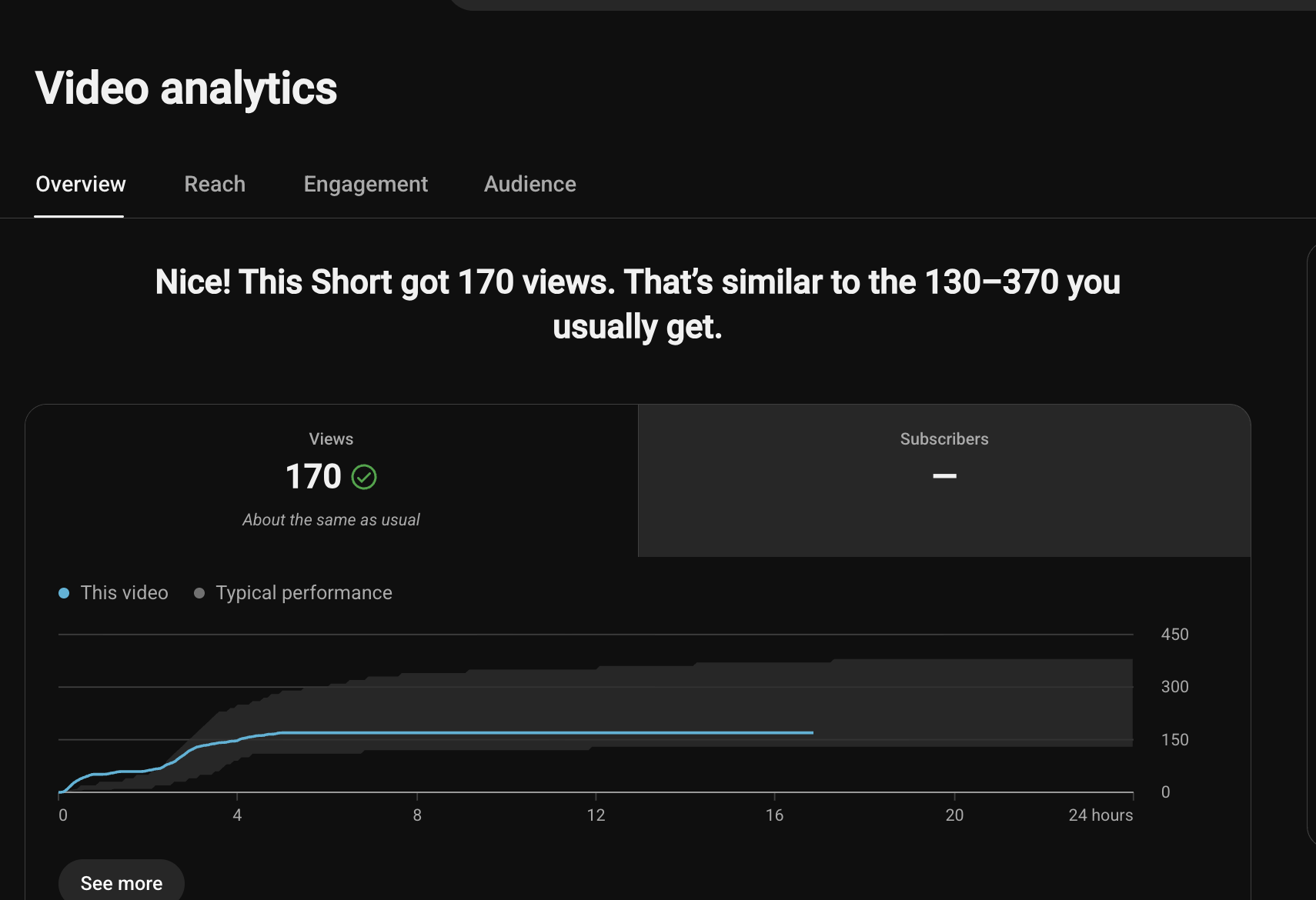
4. Take screenshots of Overview, Reach, Engagement, Audience
Happening now